Enterprise Health allows users to search the BlueHive Provider Network and submit orders to BlueHive. Additionally, BlueHive Provider Network providers can be imported into the Enterprise Health Provider Directory, streamlining future order requests.
To begin, enable the system setting: BlueHive/Order Requisition/Show BlueHive Search option is available for customers utilizing BlueHive. (Available on 202409 and newer)

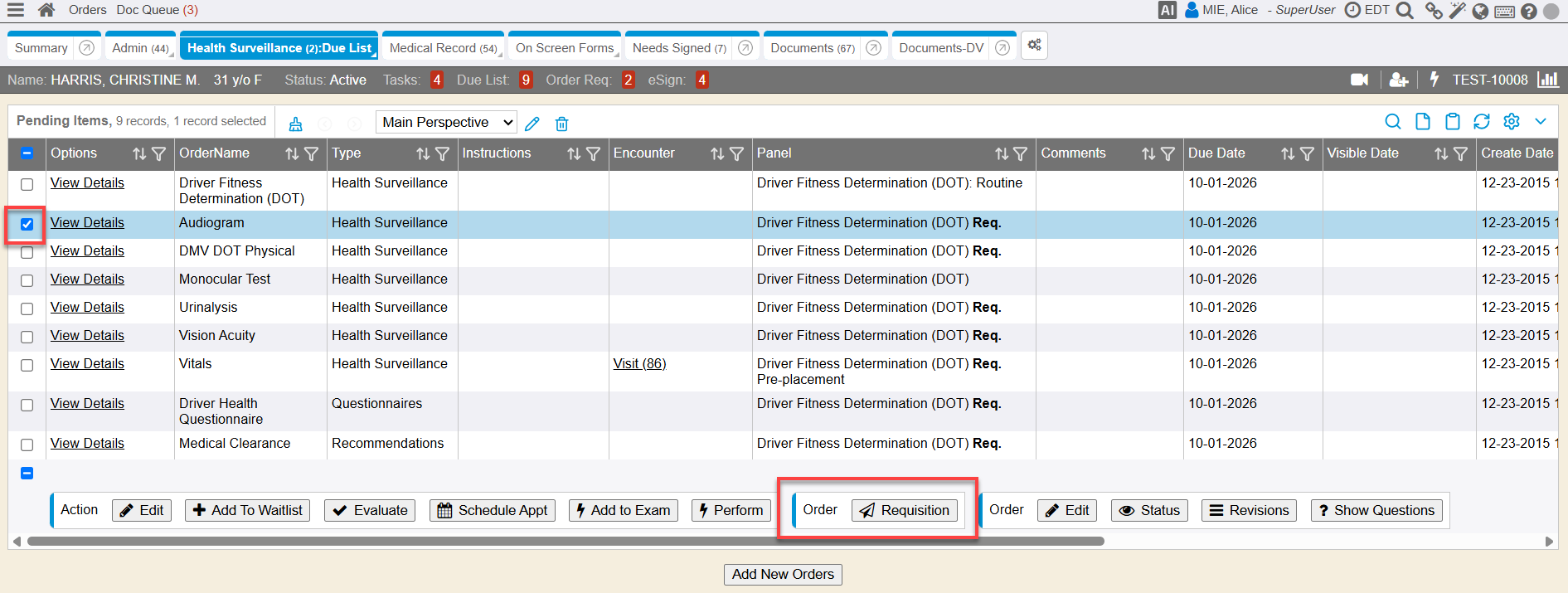
Create an Order Requisition from the Due List or any Add Order link within the application.
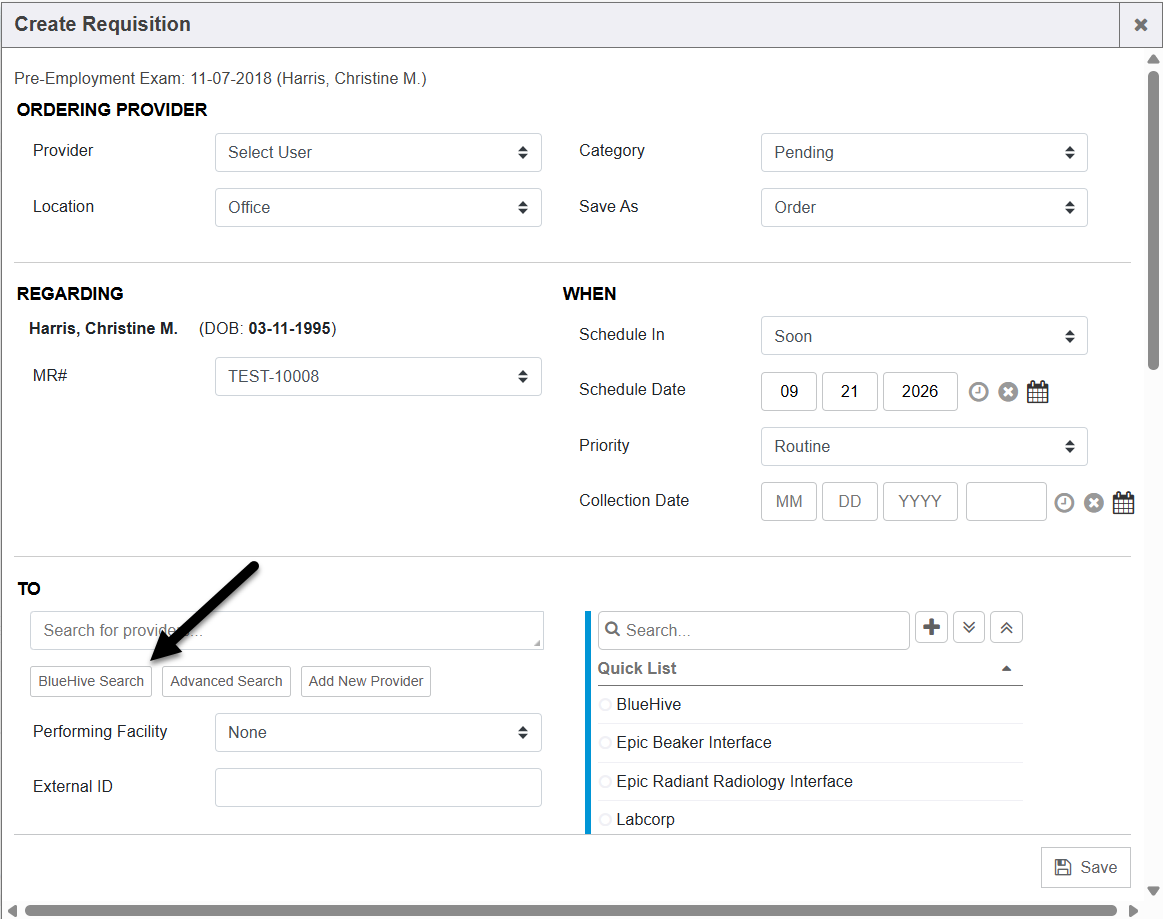
Enabling this system setting, will display a “BlueHive Search” option when searching for a provider to refer to.
When the BlueHive search button is selected the Order Requisition screen will open the BlueHive provider search in frame, allowing the user to search and select a provider. If a BlueHive provider is selected, the provider name, Performing Facility and BlueHive External ID will auto populate the Order Request. When the Performing Facility is set to BlueHive and the order is saved, the order will be sent to BlueHive.
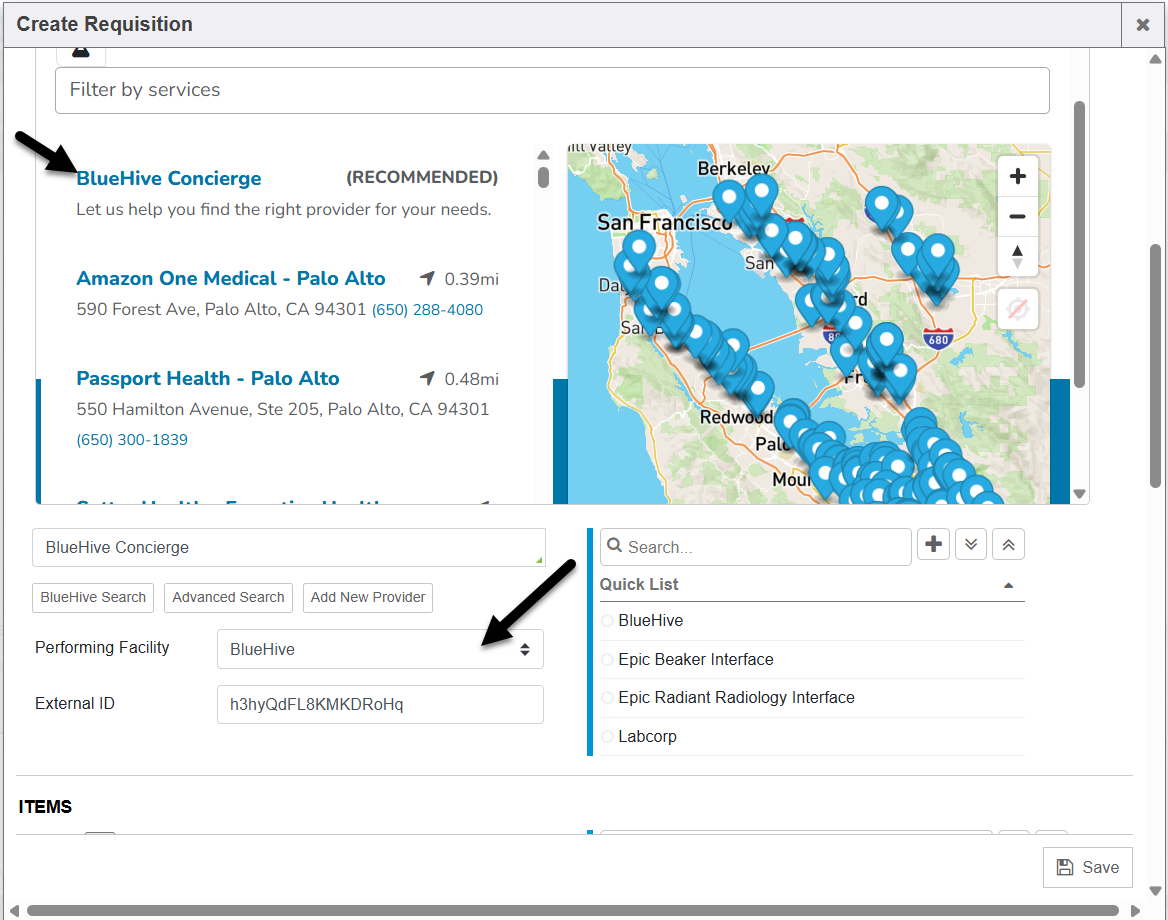
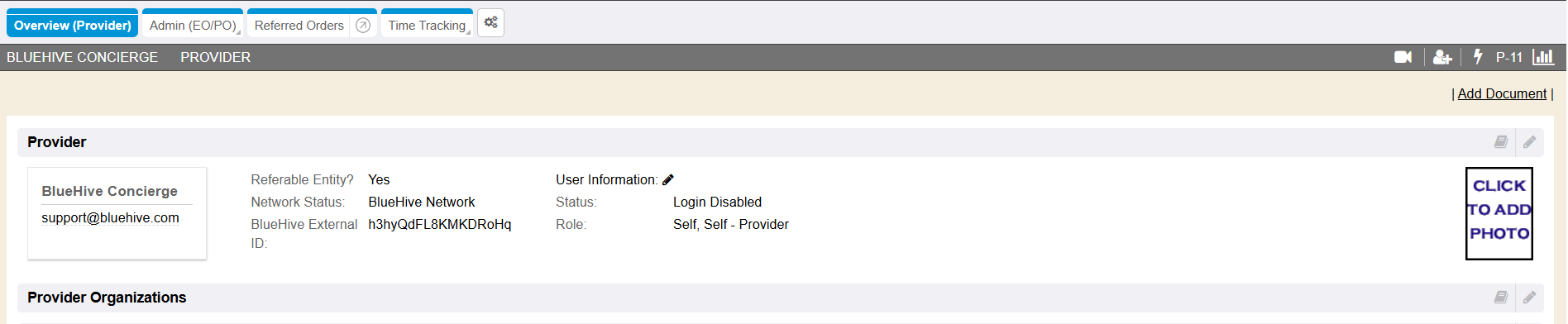
Additionally, Enterprise Health will insert the BlueHive provider into Enterprise Health Provider Directory as a new provider chart. Users can then simply use the existing provider search on subsequent orders, rather than searching in BlueHive again. The External ID field is utilized as a cross reference when validating if the provider already exists in Enterprise Health. This field is also a new field added to the Provider Chart.
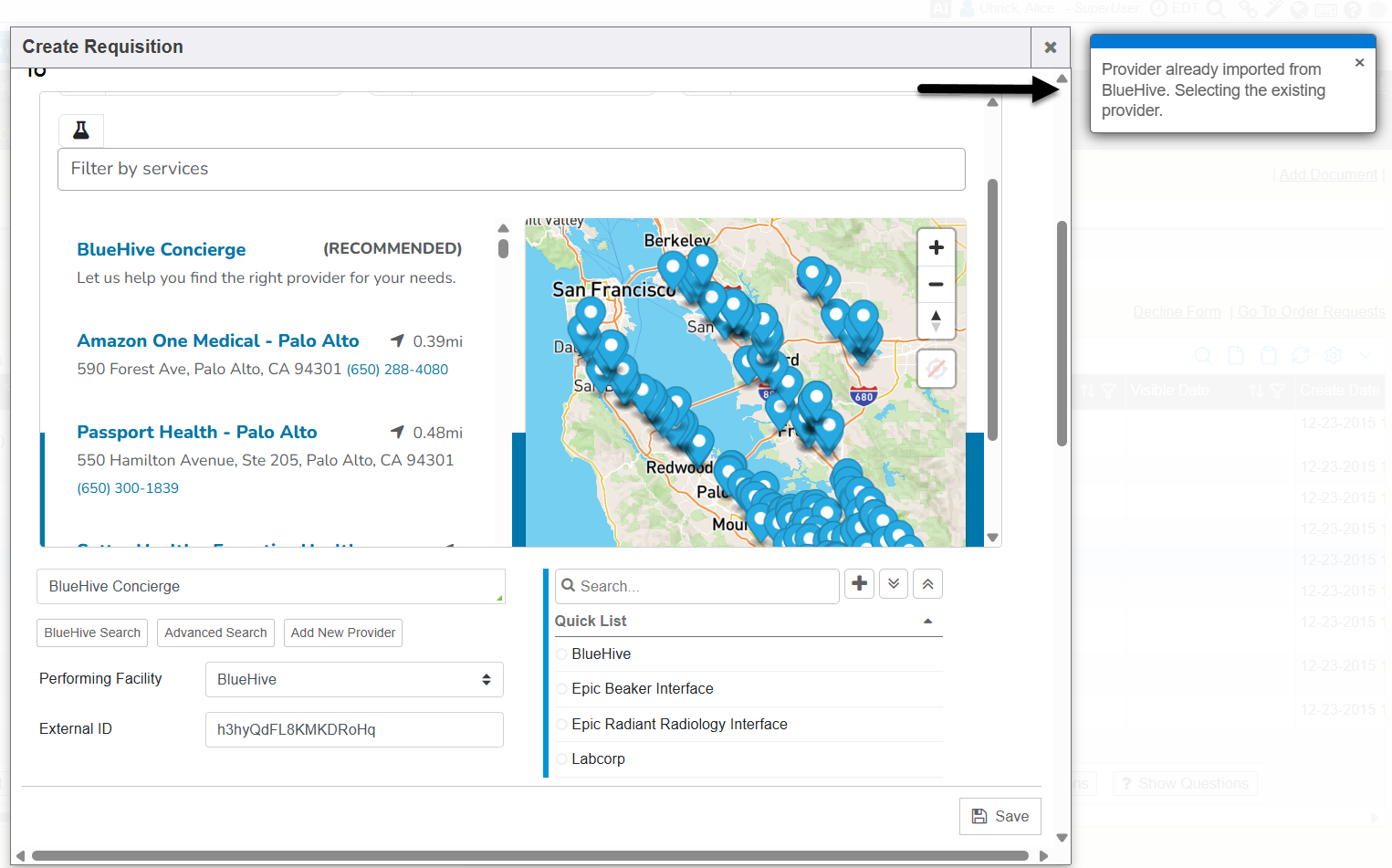
If the user attempts to search BlueHive again for a provider that has already been added to Enterprise Health, they will simply see a message that the provider has already been imported and insert the provider name, performing facility and external ID on the order, without creating a duplicate provider chart.